01
AI reads the company
Every agent
AI crawls the site and writes the offer, the audience, the voice, and the brand. Website chat, card flows, and LinkedIn start from that.
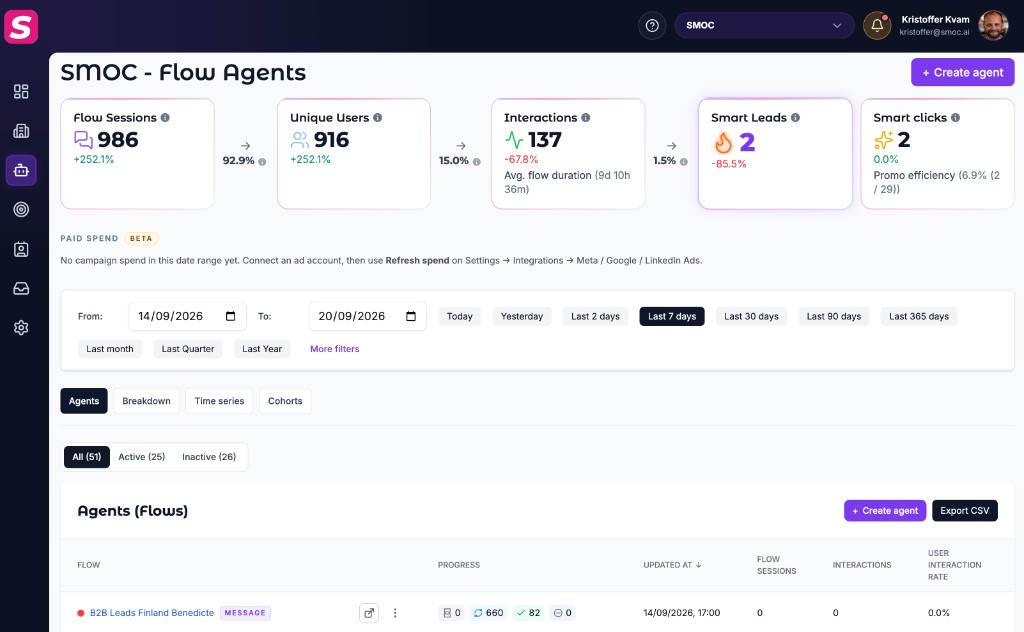
After agents are live, Console Agents is where you monitor performance beyond the company Dashboard heroes.
At company scope (the Agents area without a single flow selected):
Open an agent for Breakdown, Time series, and Cohorts. Message flows also expose Contacts for that flow.
On Breakdown for message flows you see three stacked sections. The selected date range applies only to outbound actions; funnel counts reflect current enrollments (not the date range).
KPI tiles count LinkedIn steps completed in the period: connects sent, connections accepted, DMs, InMails, profile views, follows, post likes, invite withdrawals, send failures, and paused runs. Use this to audit what actually happened in the window you filtered.
Best sending times shows which weekday and which part of the day are working for connections, replies, and smart leads. The flow uses that to send during the stronger hours, and to send more of the week on the stronger scheduled days. Sends stay inside the days and hours already set on the flow. Other scheduled days still send, and the weekly total stays the same.
A table with one row per calendar day (starting today in Europe/Oslo) and columns for each planned LinkedIn step type: Connect, Message, InMail, View profile, Follow, Like, and Withdraw, plus a Total column.
Below the table, Awaiting first action counts enrolled contacts with no outbound milestone yet and no due wake in the next seven days.
On the company Breakdown tab, outbound actions, planned actions, and funnel totals are rolled up across all message flows. A contact enrolled in two flows can appear twice, matching separate enrollments.
The funnel shows target contacts, enrolled, connections sent, accepted, messages sent, and replies as current enrollment state, not limited to the date range. Conversion rates between steps help you spot drop-off in the live pipeline.
These two KPIs share a name across flow types, but what starts a session differs.
| Metric | Meaning |
|---|---|
| Flow Sessions | Each time someone opens or begins the flow experience (comparable to an “open”). |
| Unique Users | Distinct people across those sessions in the selected date range. Deduplicated for the whole period—not summed day by day. |
| Metric | Meaning |
|---|---|
| Flow Sessions | Each contact with successful LinkedIn activity in the period: profile view, connection request, DM, or InMail. |
| Unique Users | Distinct contacts with that outreach activity in the range (also period-deduplicated). |
Enrollment alone does not create a session. Adding someone to a message flow (or parking them until a scheduled send window) is not LinkedIn activity. If enrolled is high and Flow Sessions is low, contacts are waiting or deferred—not yet viewed/connected/messaged. Check Planned actions and Awaiting first action on Breakdown for when sends are expected.
The outreach funnel on Breakdown (target, enrolled, connects, accepts, replies, and so on) is separate from Flow Sessions / Unique Users. Expect enrolled ≫ sessions until outbound actions succeed.
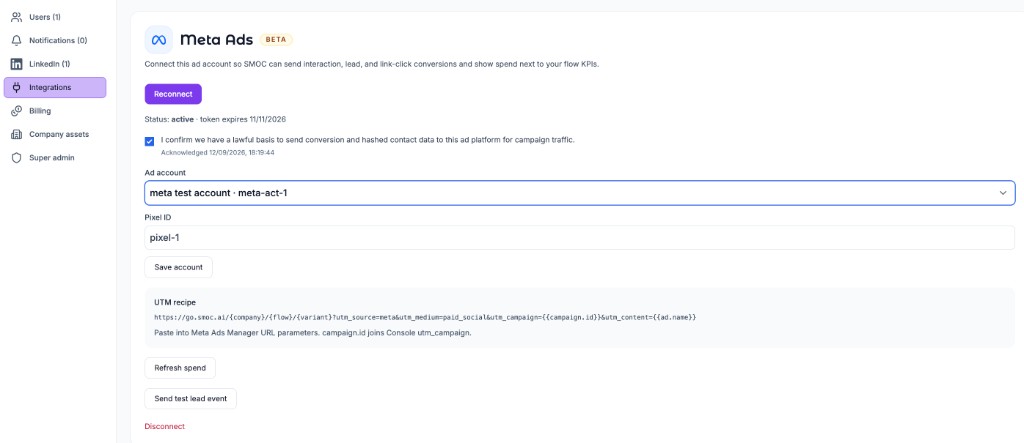
When a Meta, Google, or LinkedIn Ads account is connected, a Paid spend strip sits under the KPI cards. Each platform with spend in the selected dates gets a card. The total is all campaign spend in that range; SMOC campaigns is the share whose campaign id or name matches a utm_campaign from SMOC visits (including a name prefix when Meta later added a suffix). Spend syncs hourly (last two days) and on Refresh spend (last 90 days). See Connect Meta, Google, and LinkedIn Ads.
For path-level insight, open the agent in Studio Design → Analysis for heatmaps and path performance. Open Recommendations (sparkles) to generate AI suggestions for the saved flow — web copy/structure, or LinkedIn copy and A/B variants. The Dashboard Improve Agents feed can start that job after 100+ interactions.
Where AI runs
Website chat, card flows, and LinkedIn share one system. AI does each job below. The line under the title says where that job runs.
Every agent
AI crawls the site and writes the offer, the audience, the voice, and the brand. Website chat, card flows, and LinkedIn start from that.
Every agent · theme on web · list on LinkedIn
AI writes the flow. Theme runs on website chat and cards. Translation runs on every agent. AI finds the prospect list on LinkedIn.
Path on every flow · web and LinkedIn split
Reinforcement learning on the flow path runs on every agent. Recommendations run on web. Right timing and reply reading run on LinkedIn.
Every agent
AI proposes a variant, uses your review on the next draft, and starts from an example that already works. You apply the change.
Continue learning with these related guides
Get product updates and perspective on proactive AI agents, multichannel orchestration, and conversion—without the noise.
 Weekly signal on proactive AI sales
 Enter your email below to get started with SMOC.AI