01
AI reads the company
Every agent
AI crawls the site and writes the offer, the audience, the voice, and the brand. Website chat, card flows, and LinkedIn start from that.
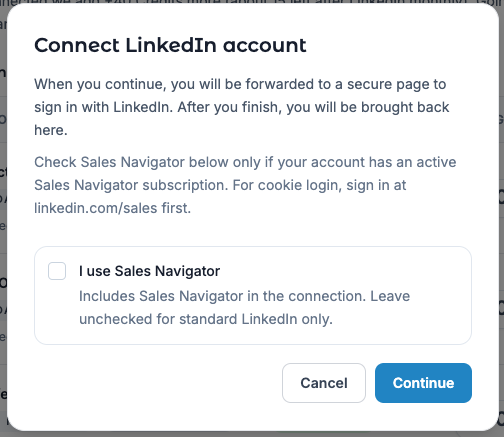
LinkedIn message flows need a connected sender account in Console. Connection runs through a hosted LinkedIn login from Console—not the legacy linkedin.smoc.ai portal.
After a successful connect, Console typically grants connect fuel (+40 Credits) and starts the monthly LinkedIn account Credit charge (list price 35 on Free; lower on higher plans—see Pricing).
Use this when onboarding or when the Dashboard Sales Launch card is still driving LinkedIn setup.
/onboarding if you are still in the wizard)./settings/linkedin/callback).Sales Launch may also show progress rows such as LinkedIn account connected, Generate LinkedIn outreach flow, and Generate targeting portfolio.
Go-live: During a 21-day Starter trial, B2B (or B2B+B2C) companies can send the same day after Connect — there is no 7-day automatic go-live window. Review the agent in Studio and publish the message flow. After the trial, unpaid LinkedIn outbound pauses; subscribe to Starter to keep sending.
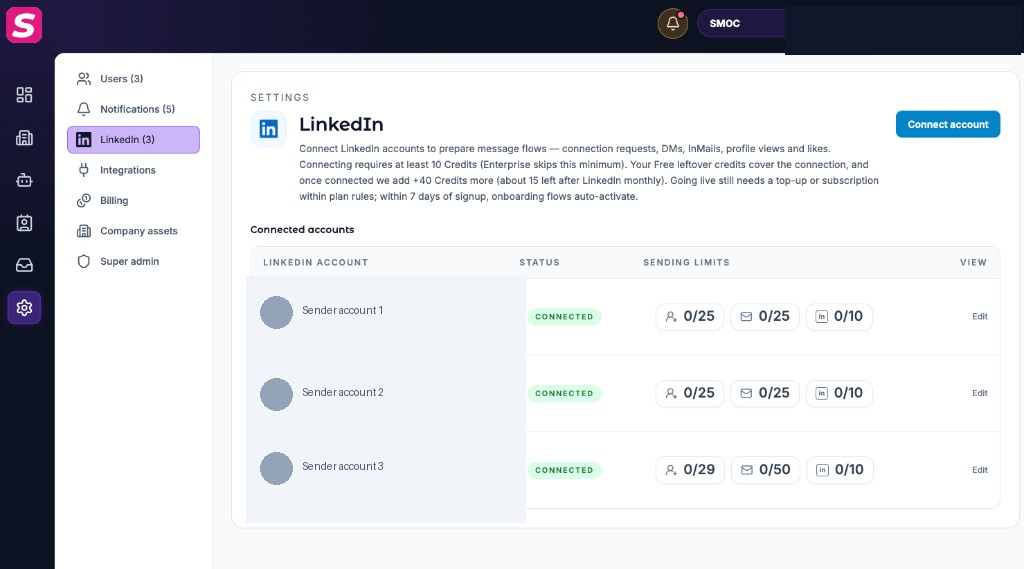
On each connected account you can:
?connect=1 if a flow deep-link needs the connect modal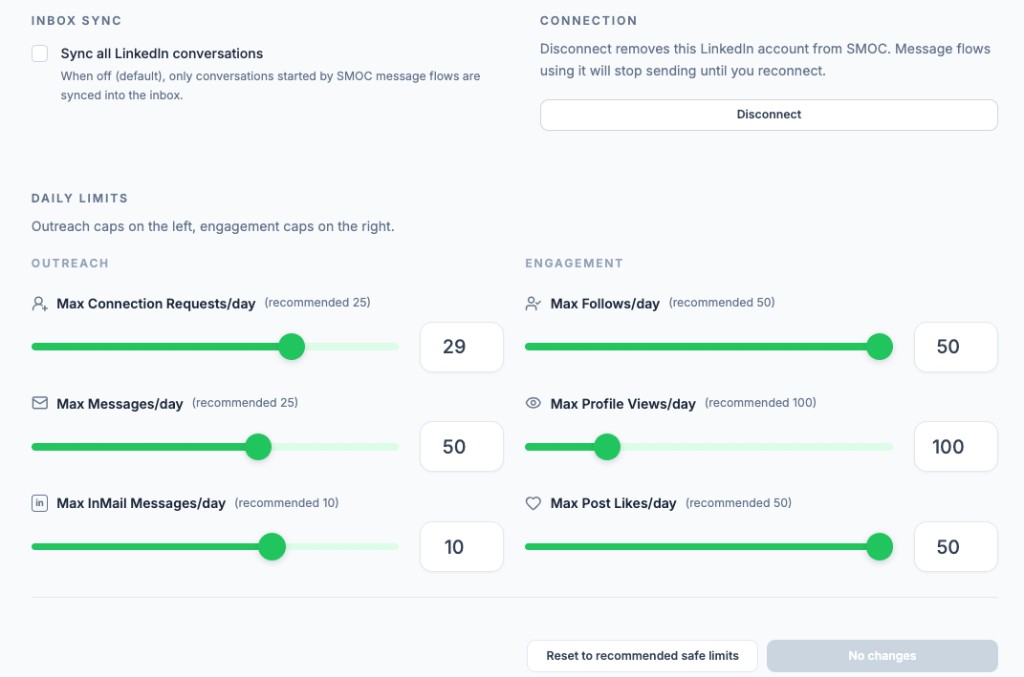
Under Settings → LinkedIn → expand the account → Daily limits, set conservative caps (recommended safe vs hard max):
| Action | Safe (recommended) | Max |
|---|---|---|
| Connection requests / day | 25 | 40 |
| Messages / day | 25 | 80 |
| InMail / day | 10 | 15 |
| Profile views / day | 100 | 500 |
| Follows / day | 50 | 50 |
| Post likes / day | 50 | 50 |
Use Reset to recommended safe limits if unsure, then Save limits. SMOC also paces actions across the day—limits protect sender reputation. LinkedIn message flows find the send times that get more accepts and replies for connection requests, messages, and InMail. Those sends stay inside the days and hours you set, including windows wider than 09:00–17:00, and inside the daily limits above. Flows that are already running pick this up. There is no extra switch, and the canvas AI node still chooses which message to send.
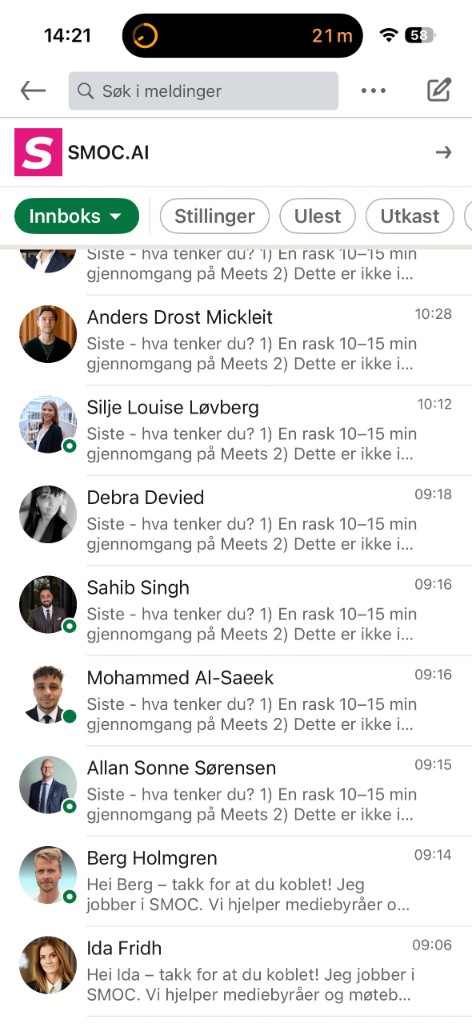
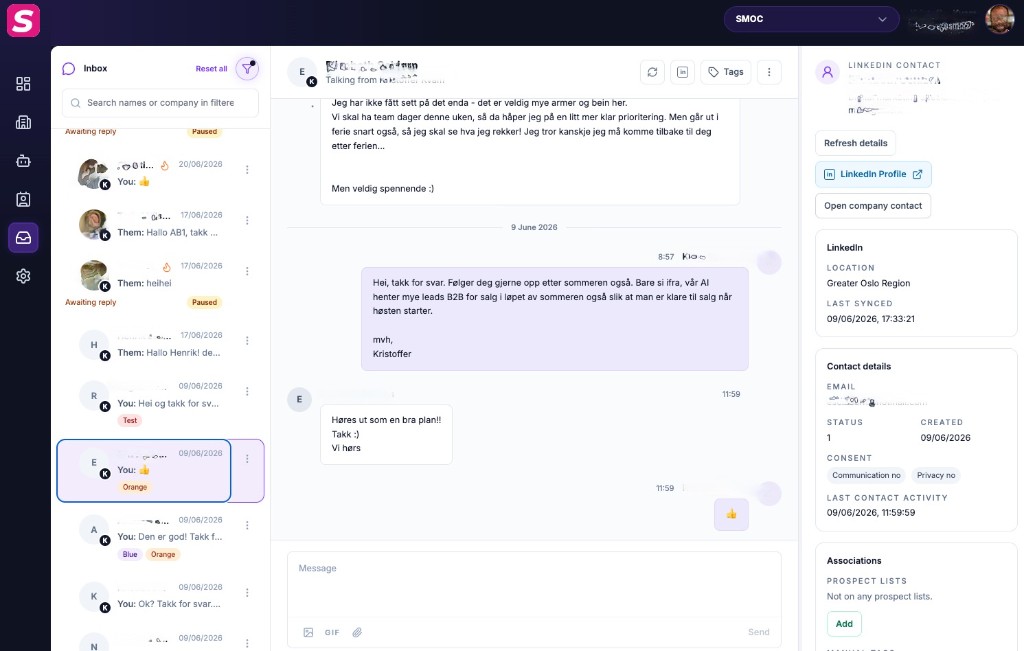
When a message flow pauses on Suggested Replies (sender), operators reply in Console Inbox. Prospects see the thread in LinkedIn. See Inbox for LinkedIn replies.
A sender can go offline when:
We treat it as the same person when the LinkedIn login email matches. If LinkedIn did not give an email, we match a unique profile name in this workspace.
| Situation | What you do | What SMOC does |
|---|---|---|
| Account still listed, status disconnected / error | Reconnect on that row (same LinkedIn login) | Campaigns stay published. In-progress conversations resume. No republish. |
| Line is gone; you Connect again as the same person | Connect, open Studio Targeting, select that sender, Publish | SMOC matches by login email, or unique profile name. New enrolls start. In-progress conversations continue with that person (no sequence restart). Contacts still waiting for a first send are assigned to a live sender on this flow. |
| You Connect a different LinkedIn person | Same: select + Publish | First-send waiting contacts can move. In-progress conversations stay on the old sender (the prospect already has a thread with that person). |
| Billing took LinkedIn offline | Add credits, Connect, select sender, Publish | Agents that billing paused need a live sender on the published flow before outbound resumes. |
Assign senders on the message flow in Studio (Targeting → LinkedIn accounts), then Publish. Unchecking a sender and publishing reassigns contacts still waiting for their first send to another sender on that flow. In-progress conversations stay on the removed sender unless the newly selected sender is the same LinkedIn person (login email, or unique profile name)—then they continue without restarting the sequence. Adding a sender does not move existing enrollments.
Disconnect under Settings → LinkedIn is different: it takes the account offline for all flows. If the row is still there, click Reconnect—campaigns stay published and in-progress conversations resume. You do not need to republish. Deleting the row and connecting again needs a sender selected in Studio and Publish. Uncheck is not the same as Disconnect.
Where AI runs
Website chat, card flows, and LinkedIn share one system. AI does each job below. The line under the title says where that job runs.
Every agent
AI crawls the site and writes the offer, the audience, the voice, and the brand. Website chat, card flows, and LinkedIn start from that.
Every agent · theme on web · list on LinkedIn
AI writes the flow. Theme runs on website chat and cards. Translation runs on every agent. AI finds the prospect list on LinkedIn.
Path on every flow · web and LinkedIn split
Reinforcement learning on the flow path runs on every agent. Recommendations run on web. Right timing and reply reading run on LinkedIn.
Every agent
AI proposes a variant, uses your review on the next draft, and starts from an example that already works. You apply the change.
Continue learning with these related guides
Get product updates and perspective on proactive AI agents, multichannel orchestration, and conversion—without the noise.
 Weekly signal on proactive AI sales
 Enter your email below to get started with SMOC.AI