01
AI reads the company
Every agent
AI crawls the site and writes the offer, the audience, the voice, and the brand. Website chat, card flows, and LinkedIn start from that.
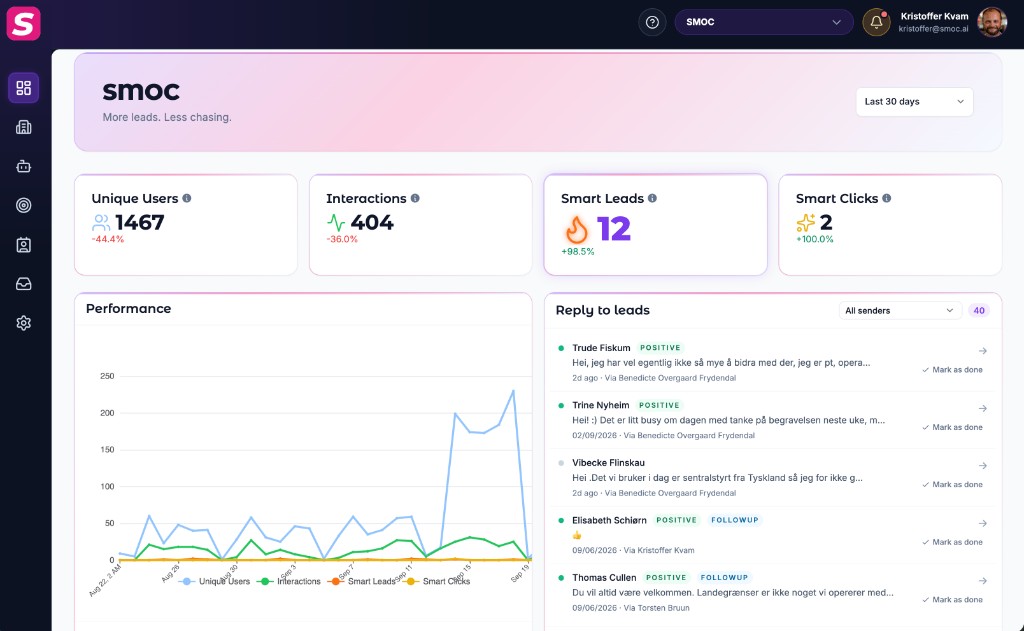
The Dashboard Improve Agents feed is where Console suggests the next useful edit: run an AI recommendation job, open Studio when recommendations are ready, or check an underperforming web flow.
When a flow first reaches 100+ interactions (all-time) and has no recommendation job yet, Improve Agents shows one card for that agent:
force on) for that flow.One flow can have several Studio documents (versions or variants). Improve Agents collapses those into a single card so you do not see a list of IDs sharing the same traffic count.
After Generate succeeds, the prompt disappears. When the job finishes, a ready card can appear: N AI recommendation(s) ready with Open Studio. Skip works on those reminder cards too.
You can still generate anytime from Studio’s sparkles panel, including after you skip the dashboard prompt.
If recommendations are already ready, Improve Agents links Open Studio so you can Apply or Reject in the recommendations panel. Details: Using Studio Recommendations.
Web flows with enough sessions and a drop in leads vs the previous period can appear as View agent rows. Those are analytics tips, not recommendation jobs — they do not have Skip.
Where AI runs
Website chat, card flows, and LinkedIn share one system. AI does each job below. The line under the title says where that job runs.
Every agent
AI crawls the site and writes the offer, the audience, the voice, and the brand. Website chat, card flows, and LinkedIn start from that.
Dashboard · Lead Strategy
Set your lead goal. AI simulates thousands of channel mixes, ranks them by efficiency, and shows the most cost-effective plan. Your data and constraints shape the math.
Every agent · theme on web · list on LinkedIn
AI writes the flow. Theme runs on website chat and cards. Translation runs on every agent. AI finds the prospect list on LinkedIn.
Path on every flow · web and LinkedIn split
Reinforcement learning on the flow path runs on every agent. Recommendations run on web. Right timing and reply reading run on LinkedIn.
Every agent
AI proposes a variant, uses your review on the next draft, and starts from an example that already works. You apply the change.
Continue learning with these related guides
Get product updates and perspective on proactive AI agents, multichannel orchestration, and conversion—without the noise.
 Weekly signal on proactive AI sales
 Enter your email below to get started with SMOC.AI