The brief opens the chat.
Season 2, Episode 7 of "Superpowers" – documenting how we're replacing the media agency for smaller businesses, so they can capture leads they'd otherwise never get. Follow Season 2 here: smoc.ai/blog/categories/superpowers. Season 1 of 5 Minutes is here: smoc.ai/blog/categories/5-minutes-series.
We just shipped ad briefs in Studio. Here is how to use them.
A media agency used to take the landing page, write five headlines, three descriptions, and a handful of images, then come back next week with a paused campaign and a slide about what to test. Studio writes that brief from the flow. Generate opens the chat you already use, with the instruction sitting in the box. The first draft is as fast as ChatGPT. The next draft is faster, because it already knows what the last ads did.
One brief, four networks
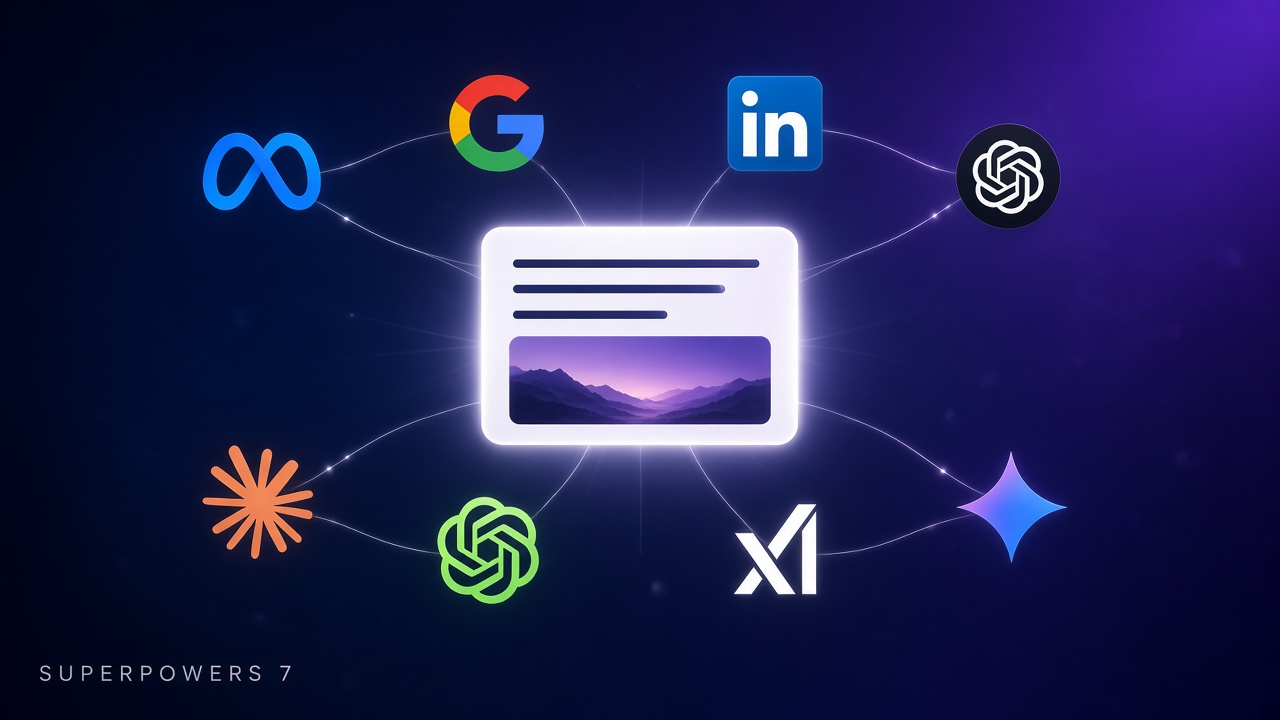
Open a web flow and go to Targeting. Meta, Google, LinkedIn, and ChatGPT Ads share this screen. The menu is on the left. The brief for the network you picked is on the right.
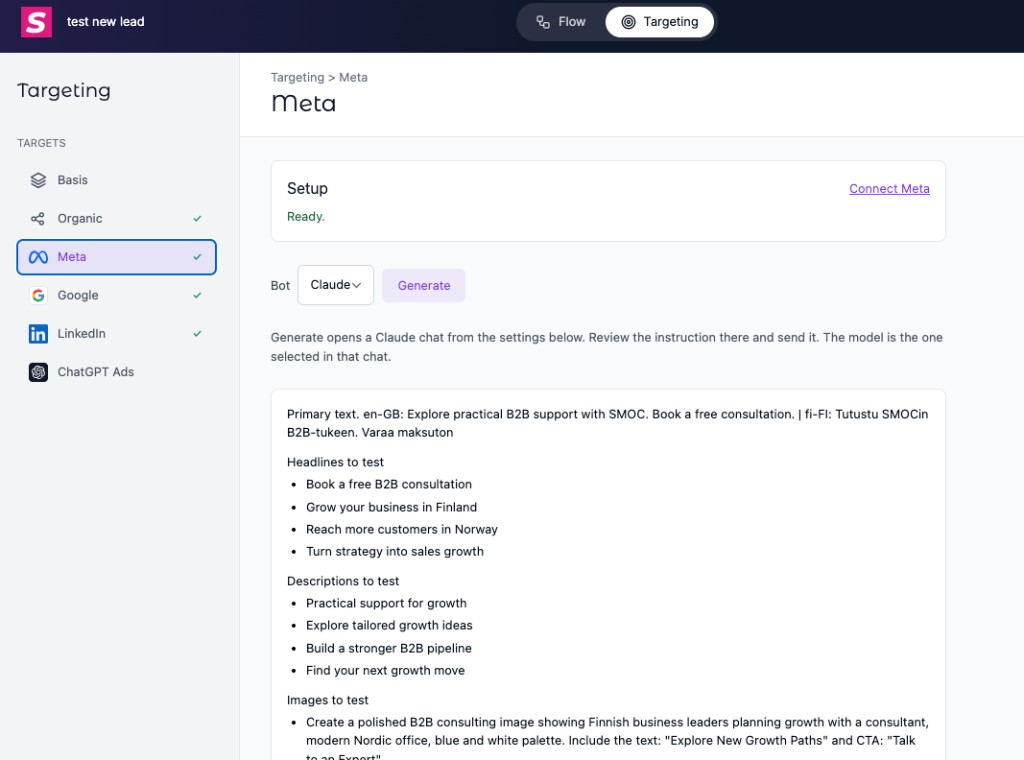
Basis holds the images you are willing to use. Organic holds the share title and description. Meta, Google, LinkedIn, and ChatGPT Ads each get the same offer, cut to that network's limits. You do not brief four accounts. You do not keep four copies of the headline in a doc.
A check mark means that network is connected. Live means a campaign attributed to this flow actually delivered in the last 30 days — impressions, spend, or clicks. Organic gets the check when the share title and description are real copy, not leftover generation notes.
Fast, because the chat is not starting from zero
A blank ChatGPT tab is only fast after you have explained the offer, the landing page, the character limits, the countries, the languages, and which images you are allowed to use. That explanation is the slow part. Studio already has it.
On each network, Setup comes first. Under it, pick the chat: ChatGPT, Claude, Grok, or Gemini. Generate opens that chat from the settings below.
What goes across:
- Several headlines, several descriptions, and several image prompts, each with a call to action and text. The first test is already a test, not a single line you hope is the one.
- The regions and languages from the flow. Leave the selection open and the chat gets every country and language on the company.
- The destination, exactly. It is the Flow URL with that network's parameters already on it, so the click, the lead, and the spend still join.
- The images you selected on Basis. If none are selected, the instruction says an image is still needed, and the chat can ask you or pull more from the site.
You review the instruction and send it. Claude and ChatGPT wait for that send. Grok may send it as the chat opens. Gemini does not keep a prefilled question, so Studio copies the instruction and you paste it. The model is the one selected in that chat — the fast GPT you already pay for, or Claude, or Grok, or Gemini. SMOC remembers the last chat you picked.
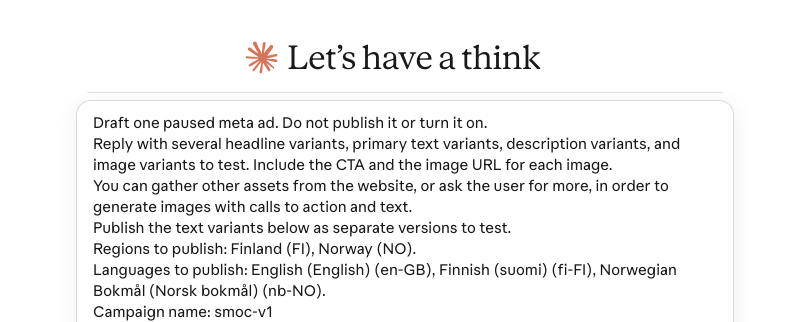
Claude shows its own caution line above a prompt that arrived from a link. That line is normal. It is Claude checking the link, not a problem in the brief. ChatGPT opens the same instruction without that banner. Either way, you read it and send it.
The chat is told to draft a paused ad and not turn it on. Text variants go in as separate versions to test. Google and ChatGPT ads have no connection inside the chat, so the instruction tells it to work in the browser, signed in, and still leave the ad off. You turn it on when the draft looks right.
That is the first loop, and it is the one that used to take a week of email. The brief is already written. The chat answers now.
The feedback loop
Generate is the first pass. Update is the next one.
When that network already has ads sending people to this flow, Update sits next to Generate. It opens the same chat with those ads and the recent results, and it asks for one recommendation per ad: what to change, which new variants to test, and why the numbers support it. Still paused. Still your send.
If nothing is connected yet, there is no Update button. There is nothing to improve.
Then the loop is short:
- Generate drafts the paused ads from the brief.
- You turn on the ones you want.
- Delivery shows up on Targeting as Live, and on Console as spend and leads.
- Update sends the live ads and the results back into the chat.
- The chat proposes the next variants. You apply them. The weak lines get a new test. The destination stays the same flow.
An agency calls that a monthly optimization meeting. Here it is the same button, on the same page, in the chat you already had open. Each pass starts from what the last pass actually did, not from a fresh blank prompt.
What you still own
SMOC writes the brief. Your chat drafts the campaign. You publish it.
Connect in Console is unchanged: conversions and spend still come from Settings → Integrations. Targeting does not replace that. It replaces the blank document, and it replaces the wait between "the ads are live" and "here is what to try next."
Try it on a web flow: Targeting, pick a network, Generate. When the ads have delivered, come back and press Update.
Follow Season 2 here: smoc.ai/blog/categories/superpowers. Season 1 of 5 Minutes is here: smoc.ai/blog/categories/5-minutes-series.
Shipped this month — November 2026 release log.