01
AI reads the company
Every agent
AI crawls the site and writes the offer, the audience, the voice, and the brand. Website chat, card flows, LinkedIn, and mail start from that.
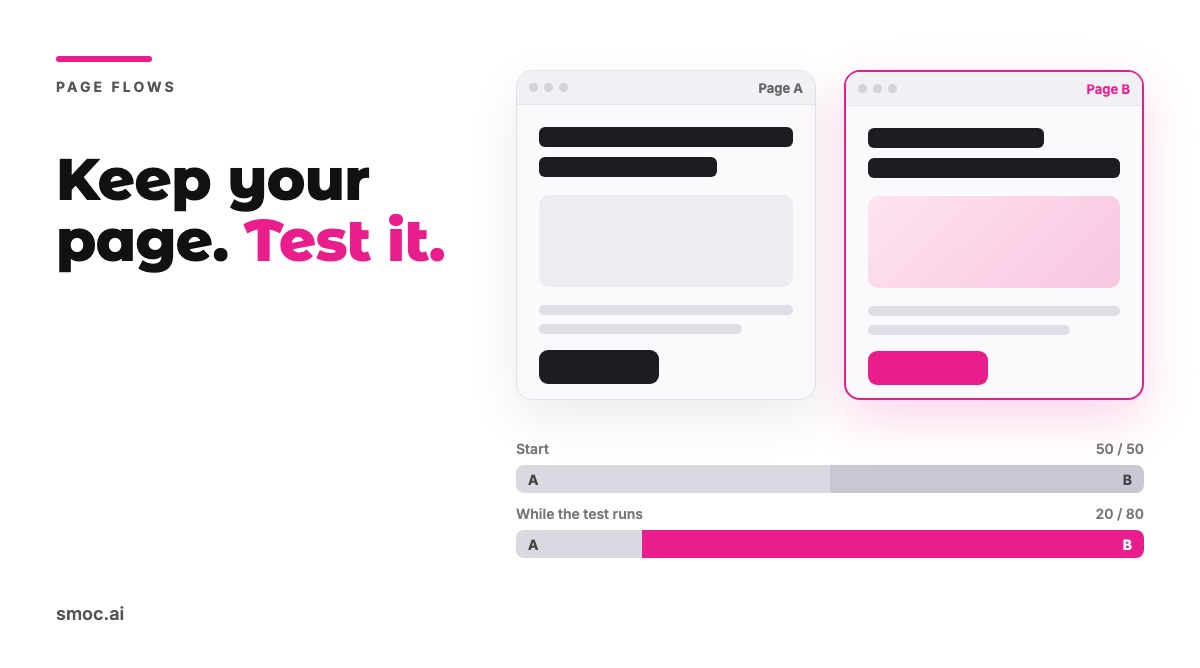
A page flow tests whole landing pages that you already host. You keep your own HTML. One script in the page head decides which version a visitor sees, remembers that choice, and counts what the visitor does next.
Use it when the pages already exist on your CMS or site. A card flow is the better fit when SMOC should host the page. A chat flow is the better fit when the visitor should be able to ask questions.
Console → Create agent has five types: three for the web (chat, card, page) and two for outreach (message, mail).
| Chat flow | Card flow | Page flow | |
|---|---|---|---|
| What the visitor sees | A chat bubble on your site | A stepped page hosted by SMOC, ending in /cards |
Your own page |
| What you install | The embed from Studio | A link or an iframe | One script in the <head> of each page |
| What is tested | Steps and wording in the conversation | Steps and wording on the card | Whole pages |
| Studio sections | Settings, Style, Design | Settings, Style, Design | Pages setup, Targeting |
In Console choose Create agent → Page flow. The description reads A/B test full landing pages with a head script, cookie assignment, and outcome tracking. Give it a name, for example Homepage headline test, and choose Create page flow.
Studio opens on Pages setup.
https:// URL. Add at least two.When the pages share a layout, Detected parts lists the places where they differ, for example the headline or the hero image. When they do not, Studio says No shared structure detected — one arm per page. Each page is then one version in the test. Either way, every visitor is sent to one of the URLs you added.
The canvas in Studio shows the test that was built from the pages. It is read-only. To change it, edit the URLs or the ignore selectors and choose Fetch and rebuild again.
Open Targeting. Under Head script, copy the embed snippet. It looks like this, with your own values:
<script src="https://go.smoc.ai/page.js" data-smoc-assign="https://go.smoc.ai/page-flow/<company>/<channel>/<flow>/assign" data-smoc-cookie="smoc_pf_<flow>"></script>
<head> of every page URL in the test.async or defer. The script has to run before the page is shown, or visitors see the first page flash before they are moved.data-smoc-assign is the address that picks the page. data-smoc-cookie is the name of the cookie that remembers the choice. Outcomes go to the same address, ending in /outcome instead of /assign.
First visit. The script hides the page for a moment and asks SMOC which version this visitor should see. If the answer is another URL in the test, the browser goes there with a redirect. The visitor's Back button does not return to the first URL. If the answer is the page they are already on, the page simply shows.
The cost. A visitor who is moved loads two pages instead of one. The page stays hidden for at most 0.8 seconds while the script waits for an answer. Because the tag is not async, the browser also waits for page.js itself before it continues. The file is small and cached.
Return visit. The cookie remembers the assigned page for 90 days. A returning visitor goes straight to the same page, without asking SMOC again.
When something fails. If page.js cannot load, nothing happens: the visitor sees the page they opened. If the answer is slower than 0.8 seconds, the page is shown. If the answer arrives after that, the visitor can still be moved to the assigned page. If SMOC does not answer at all, the visitor stays where they are, no cookie is set, and the next visit tries again.
Search engines and link previews. Crawlers are not assigned. A user agent that looks like a bot, a crawler, a spider, or a link preview sees the URL it asked for.
The redirect goes to the page URL as you entered it in Pages setup. Query parameters on the URL the visitor opened, such as UTM tags and ad click IDs (gclid, fbclid, li_fat_id), are not carried over to the assigned page today. A returning visitor with a new query string is also sent to the stored URL without it.
SMOC reads utm_source before the redirect, so the page flow keeps the source. Your own analytics and the ad networks' conversion tags on the assigned page may not see the tags. Check this before you send paid traffic to a page flow.
The script counts these on its own. Each one counts once per page view.
| Outcome | When it fires |
|---|---|
| Scroll | The visitor reaches half the page, and again at the bottom |
| Click | A click on any link or button |
| Sign-up intent | A click on an element with the data-smoc-signup attribute, or a call to window.smoc.signup() |
| Contact intent | A click on a link to a /contact page, or on an element with the data-smoc-sales attribute |
| Sign-up | Not automatic. You send it when the sign-up is complete. See below. |
Mark your main call to action so it counts as intent:
<a href="/start" data-smoc-signup>Start free</a>
<a href="/talk-to-sales" data-smoc-sales>Talk to sales</a>
A completed sign-up counts the most. Send it from the page the visitor reaches after the form is done, on the same domain as the test pages. Replace the cookie name and the address with the values from your own head script, with /outcome at the end.
<script>
(function () {
  var match = document.cookie.match(/(?:^|; )smoc_pf_<flow>=([^;]*)/);
  if (!match) return;
  var token = JSON.parse(decodeURIComponent(match[1])).token;
  fetch('https://go.smoc.ai/page-flow/<company>/<channel>/<flow>/outcome', {
    method: 'POST',
    headers: { 'content-type': 'application/json' },
    body: JSON.stringify({ token: token, kind: 'signup' })
  });
})();
</script>
Do not put the head script on that thank-you page. It is not one of the test pages, so the script would send the visitor back to the assigned page.
A classic A/B test splits traffic evenly until someone ends it. A page flow starts even, then sends more visitors to the version that is doing better while the test runs. It keeps sending some visitors to the other versions, so a page that starts slowly can still catch up. Technically, it is a multi-armed bandit.
A completed sign-up weighs the most. Sign-up and contact intent come next, then clicks. Scrolling counts a little.
Most visitors to a Nordic or European site are covered by the ePrivacy rules and GDPR. A cookie used to run an experiment is generally not a strictly necessary cookie, so treat the page flow like analytics.
What the script stores on the visitor's device:
smoc_pf_<flow>. It holds the assigned page URL and a random token. It lasts 90 days and is set with SameSite=Lax.smoc_vid.What it sends to SMOC:
utm_source.How it behaves with and without consent:
smoc_analytics_consent set to 0.What to add on your site:
localStorage.setItem('smoc_analytics_consent', '0'). Outcomes stop.This is guidance, not legal advice. Check it with whoever owns privacy on your site.
Each version is a real URL that search engines can find. Add <link rel="canonical" href="..."> on every version, pointing at the main URL, so the versions do not compete with each other in search. Crawlers are not assigned, so they see the canonical page.
Send ads to the main URL. Read the known limit on UTM tags and click IDs above first. For UTM naming, see Embedding web flows and passing UTMs. The bubble and iframe embed described there is for chat and card flows, not page flows.
Where AI runs
Website chat, card flows, LinkedIn, and mail share one system. AI does each job below. The line under the title says where that job runs.
Every agent
AI crawls the site and writes the offer, the audience, the voice, and the brand. Website chat, card flows, LinkedIn, and mail start from that.
Dashboard · Lead Strategy
Set your lead goal. AI simulates thousands of channel mixes, ranks them by efficiency, and shows the most cost-effective plan. Your data and constraints shape the math.
Every agent · theme on web · lists on LinkedIn and mail
AI writes the flow. Theme runs on website chat and cards. Translation runs on every agent. AI finds the prospect list on LinkedIn. Mail uses the prospect lists you already have.
Path on every flow · web, LinkedIn, and mail
Reinforcement learning on the flow path runs on every agent. Recommendations run on web. Right timing and reply reading run on LinkedIn and mail.
Every agent
AI proposes a variant, uses your review on the next draft, and starts from an example that already works. You apply the change.
Continue learning with these related guides
Get product updates and perspective on proactive AI agents, multichannel orchestration, and conversion—without the noise.
 Weekly signal on proactive AI sales
Enter your email below to get started with SMOC.AI