How can I use SMOC landing pages for campaigns across multiple channels?
Category: Frontend Guides
SMOC landing pages can be distributed across email, SMS, messaging apps, social, and paid ads. Append UTMs to the Flow URL for Console attribution. To pass those same parameters on to a shop or partner site, enable Forward UTM & click IDs on the Link Message.
1. Prerequisites
- Create and configure your flow in SMOC Studio.
- Have access to your target channels.
2. Get the landing page link
- Open the flow in SMOC Studio.
- Click Publish.
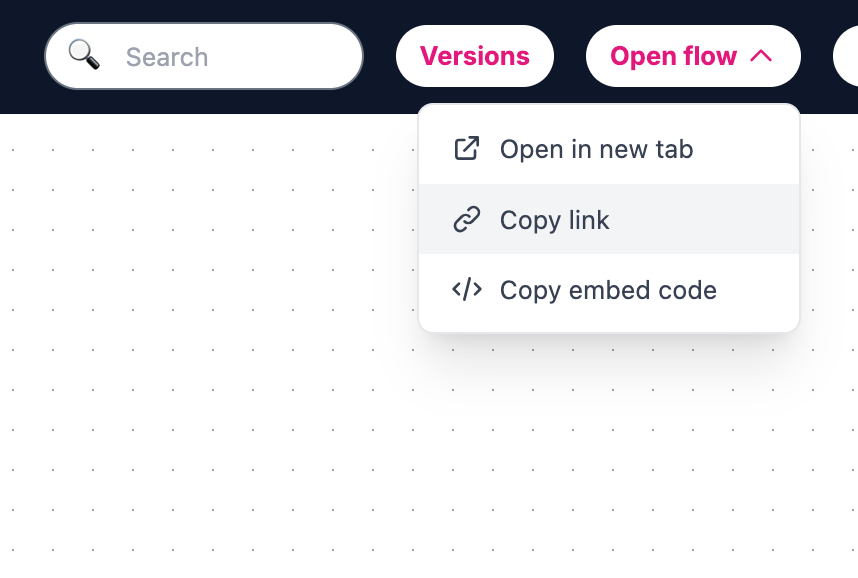
- Open the Open flow dropdown.
- Click Copy link.
3. Distribute across channels
- Email: newsletters, lifecycle flows, service emails.
- SMS / Messaging: campaign sends, reminders, re-engagement.
- Social Media: posts, stories, profile links, CTA buttons.
- Paid Ads: use as destination URL.
- Post-purchase flows: feedback, referral, upsell, promotions.
4. Tracking links
- Add campaign query parameters to the copied link.
- Use consistent naming conventions across channels.
For paid ads on that landing URL, send conversion events from the conversation: Track conversions for Meta, Google Ads, and LinkedIn · Integrations.