How can I integrate SMOC flows into my website?
Category: Frontend Guides
You can integrate SMOC flows into your website either by embedding with iframe code or by linking directly to the flow URL.
1. Prerequisites
- Create and configure your flow in SMOC Studio.
- Have access to your website/CMS where you can add custom HTML.
2. Get the embed code (current Studio flow)
- Open your flow in SMOC Studio.
- Click Publish (or republish after updates).
- Open the Open flow dropdown.
- Click Copy embed code.
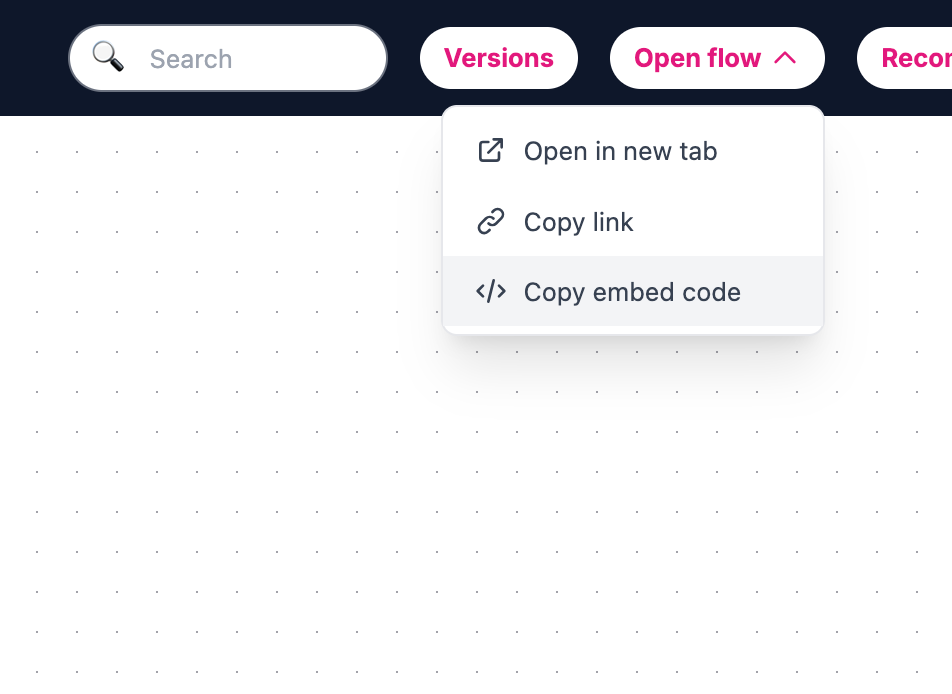
(If you want a direct URL instead, use Open flow -> Copy link.)
3. Embed on your website
- Open your website editor and go to the section where the flow should appear.
- Paste the copied iframe code into a custom HTML/code block.
- Save and publish your website changes.
4. Iframe display optimization (recommended)
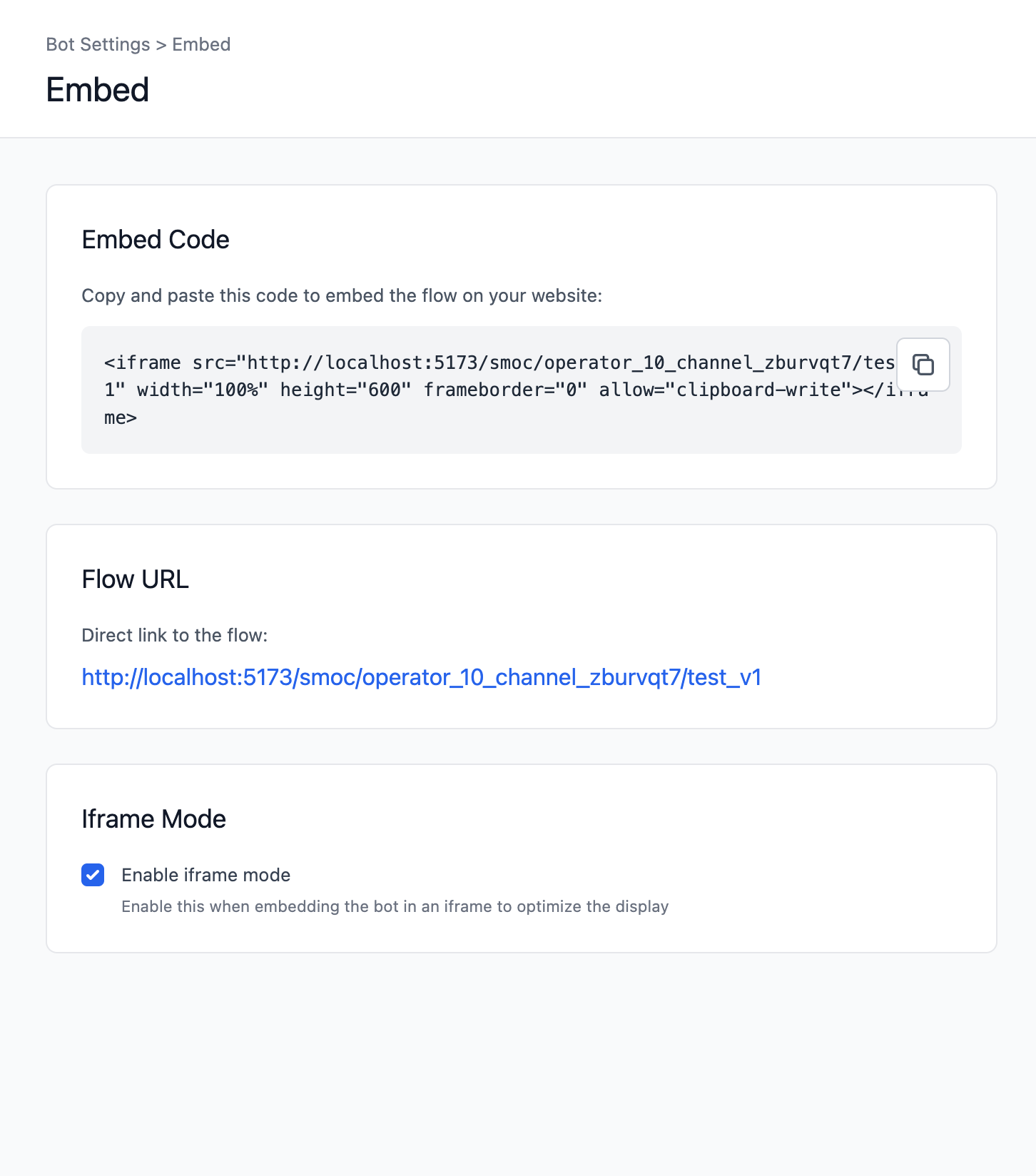
- In Studio, go to Settings -> Embed.
- Enable Iframe Mode when the flow is used inside an iframe.
- Republish the flow after changing this setting.
5. Optional URL parameter
- iframe_mode=true can be added to the flow URL to hide the regular header for embedded contexts.