How can I change the URL of a SMOC Flow landing page?
Category: Settings
A SMOC flow URL is structured like:
https://go2.smoc.ai/<company_key>/<flow_key>/<variant_key>
You can change parts of it as follows:
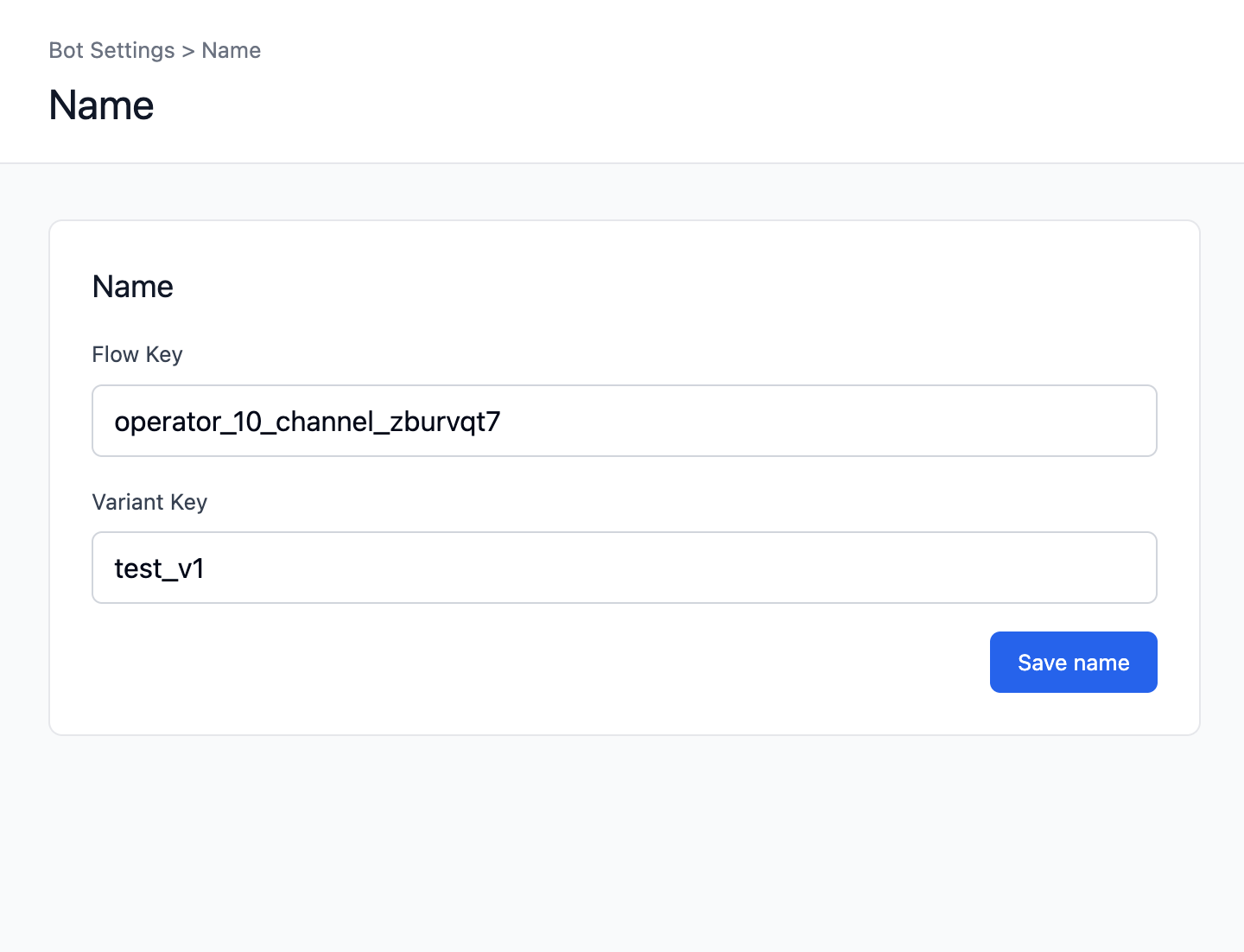
1) Change flow_key and variant_key (in Studio)
- Open the flow in SMOC Studio.
- Go to Settings -> Name.
- Update:
- Flow Key (this is the flow_key)
- Variant Key (this is the variant_key)
- Click Save.
2) Change company_key
- company_key is tied to your company/operator identifier, not the flow itself.
- It is not changed in SMOC Studio Name settings.
- If you need to change it, do it from the relevant company-level settings/process and plan a migration (all existing public links/embeds may need updating).
3) Important impact
Changing URL keys can break old shared links, ads, emails, and embeds unless redirects are in place.
So update all distributed links after key changes.